
Download Space Gremlin – Simple Hard Drive Cleaner, Free, Secure, Windows & Mac
Overview
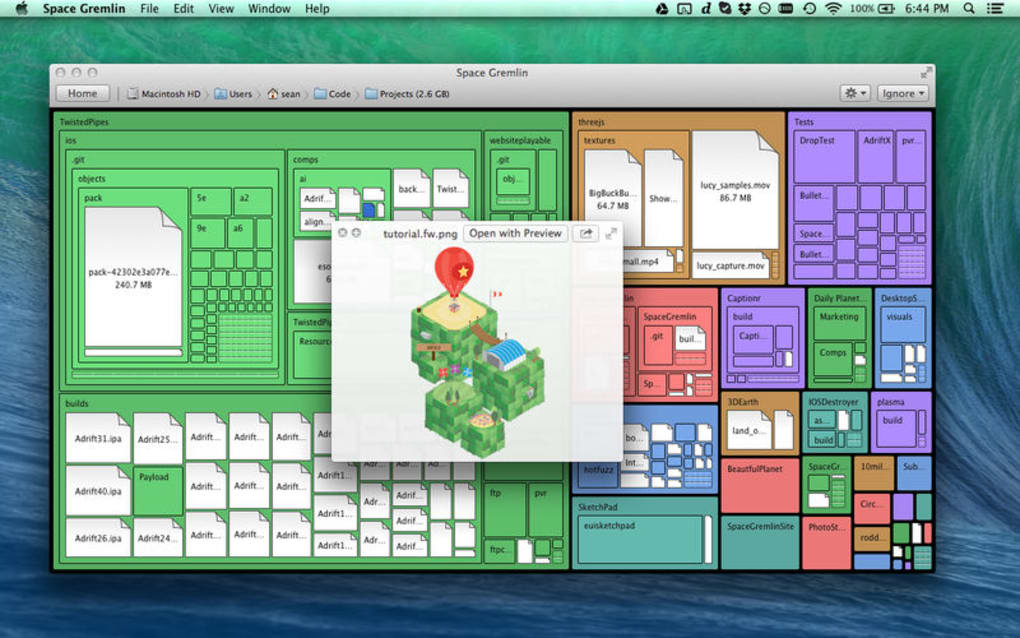
Space Gremlin is a lightweight, no‑frills utility designed to help users reclaim lost disk space quickly and safely. Modern computers accumulate a hidden mass of cache files, orphaned backups, and temporary data that can silently eat away at storage capacity. Unlike bulky disk‑cleaner suites that promise a thousand features, Space Gremlin focuses on visual clarity: it scans your hard drive, draws an intuitive map of folder sizes, and lets you pinpoint oversized or forgotten files with a single click.
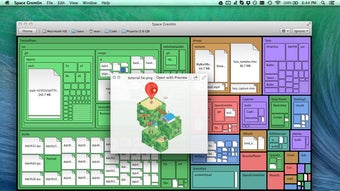
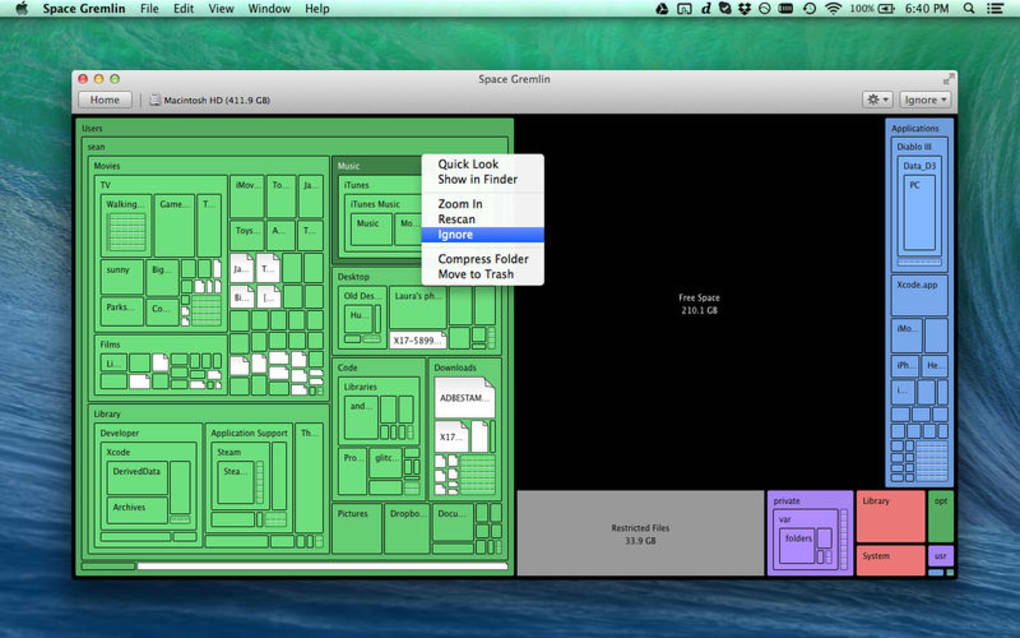
The interface mimics a color‑coded treemap, so even users with limited technical knowledge can see at a glance which directories dominate their storage. Once identified, the program offers a one‑step deletion or archival process, ensuring that you never accidentally remove critical system files. Because it runs locally, there’s no need to upload data to the cloud, keeping your information secure and private.
The tool is completely free, receives regular updates to stay compatible with the latest file‑system changes, and runs on both Windows and macOS without the need for an administrator password (unless you try to delete protected system files). In short, Space Gremlin delivers a simple yet effective solution for anyone who wants to keep their hard drive tidy, improve system performance, and avoid the dreaded “disk full” warning.
Key Features
- Interactive Treemap Visualisation – Displays folder sizes as proportional blocks, colour‑coded by usage level.
- One‑Click Cleanup – Select a block and choose to delete, move to recycle bin, or archive to an external drive.
- Real‑Time Scan – Updates the map instantly as files are added or removed during the session.
- File Type Filters – Quickly isolate large video, image, or log files for targeted cleanup.
- Safe‑Mode Deletion – The app checks for system‑critical files and warns you before removal.
- Multi‑Platform Support – Native builds for Windows 10/11 and macOS 10.15+.
- Low Resource Footprint – Uses less than 30 MB RAM and runs silently in the background.
- Automatic Updates – Free, secure updates delivered via built‑in updater.
- Export Reports – Generates CSV or PDF summaries of space usage for audit purposes.
- Customizable Themes – Light and dark mode to match your desktop environment.
Installation, Usage & Compatibility
Getting Space Gremlin up and running takes just a few minutes. Follow these steps for a smooth experience on either Windows or macOS:
- Download the installer from the official website. The file is a small
.exefor Windows or.dmgfor macOS, typically under 5 MB. - Run the installer. On Windows, double‑click the
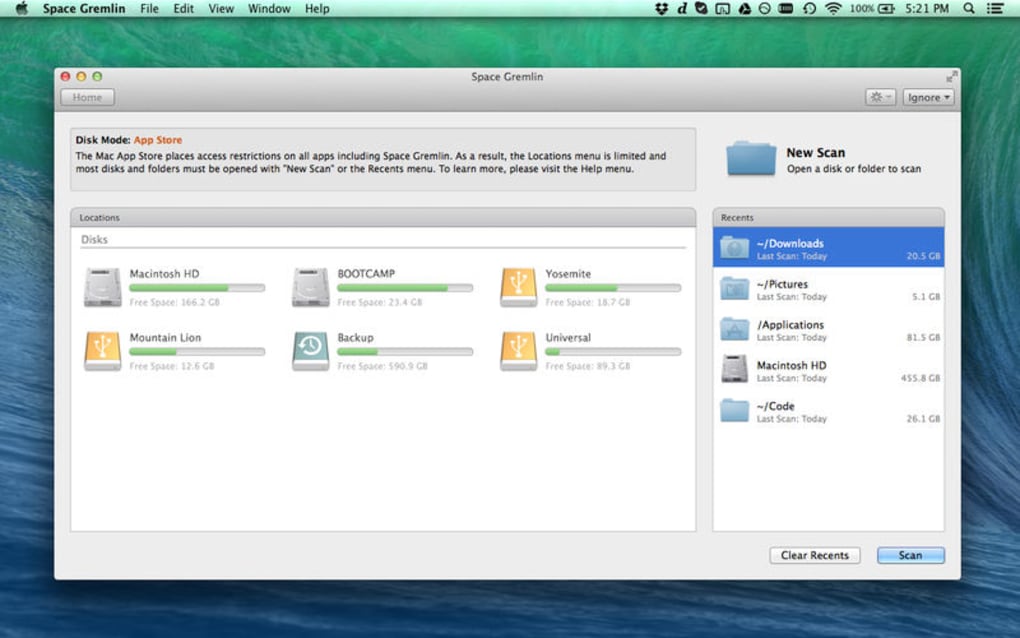
.exeand accept the standard UAC prompt. On macOS, open the.dmg, drag the Space Gremlin icon into the Applications folder, and confirm any Gatekeeper warnings. - Launch the app. The first launch will trigger a quick system scan to index your drives. This may take 30 seconds to a few minutes depending on disk size.
- Explore the treemap. Each block represents a folder; hover to see exact size, double‑click to drill deeper, or right‑click for cleanup options.
- Perform cleanup. Select unwanted blocks, choose “Delete” or “Move to Archive,” and confirm. The app moves files to the recycle bin (Windows) or Trash (macOS) for a safety net.
- Schedule future scans. Use the built‑in scheduler to run a weekly scan and receive email notifications when storage drops below a set threshold.
Supported Operating Systems: Windows 10, Windows 11, macOS 10.15 Catalina and later. The application runs on both 64‑bit Intel and Apple Silicon processors, with automatic Rosetta 2 translation where needed.
Because Space Gremlin is a native desktop tool, it does not require any additional runtime (such as Java or .NET) and works offline, guaranteeing privacy for sensitive files. The update mechanism checks for new versions daily and prompts you with a non‑intrusive banner; updates are signed and delivered over HTTPS to prevent tampering.
Conclusion, Pros & Cons, and FAQ
Pros
- Intuitive visual interface that makes large files easy to spot.
- Free, no hidden fees or trial period.
- Low CPU and memory usage, suitable for older machines.
- Cross‑platform support for both Windows and macOS.
- Secure, offline operation keeps personal data private.
Cons
- Lacks deep system‑level cleaning (e.g., registry or browser extensions).
- No built‑in cloud integration for automatic backups.
- Advanced scheduling requires manual configuration.
- Only English language support at the moment.
Frequently Asked Questions
Is Space Gremlin safe to use on system files?
Space Gremlin includes a safe‑mode check that flags system‑critical files and warns you before any deletion. It never removes files located in Windows System32 or macOS /System folders without explicit user confirmation.
Can I run Space Gremlin on an external USB drive?
Yes. The application detects all mounted volumes, including external HDDs, SSDs, and USB flash drives, and lets you visualise and clean them just like internal drives.
Does Space Gremlin support automatic updates?
Updates are checked daily. When a new version is available, a discreet banner appears inside the app. Clicking the banner downloads and installs the update securely over HTTPS.
How does the free version differ from a paid version?
Space Gremlin is fully functional and free. There is no paid tier; all features, including reporting and scheduling, are available at no cost.
Can I export a report of my disk usage?
Yes. The “Export Report” button generates a CSV or PDF file that lists each folder’s size, percentage of total space, and last modified date, which is useful for audits or sharing with IT teams.
In summary, Space Gremlin delivers a focused, secure, and completely free solution for anyone who wants to see exactly where their hard‑drive space is going and clean it up with confidence. Its visual treemap makes the process fast, while the low resource usage ensures it won’t slow down your computer. If you’re tired of vague “disk cleanup” utilities and need a clear picture of storage consumption, give Space Gremlin a try today. Download now, run a quick scan, and reclaim gigabytes of valuable space in minutes.
Space Gremlin stands out for its simplicity and visual power. While it doesn’t replace full‑featured system optimizers, it excels at what it promises: quick, safe, and free hard‑drive cleaning.







